AWS user for lambda execution creation
Steps:
Find IAM AWS service
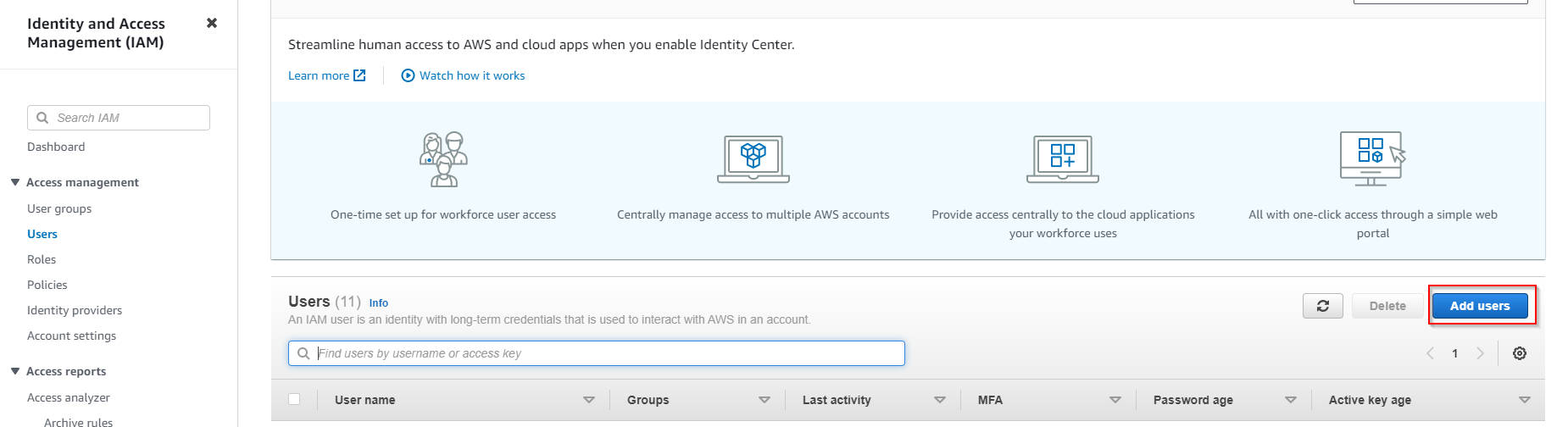
Choose ‘Users’ -> ‘Add users’
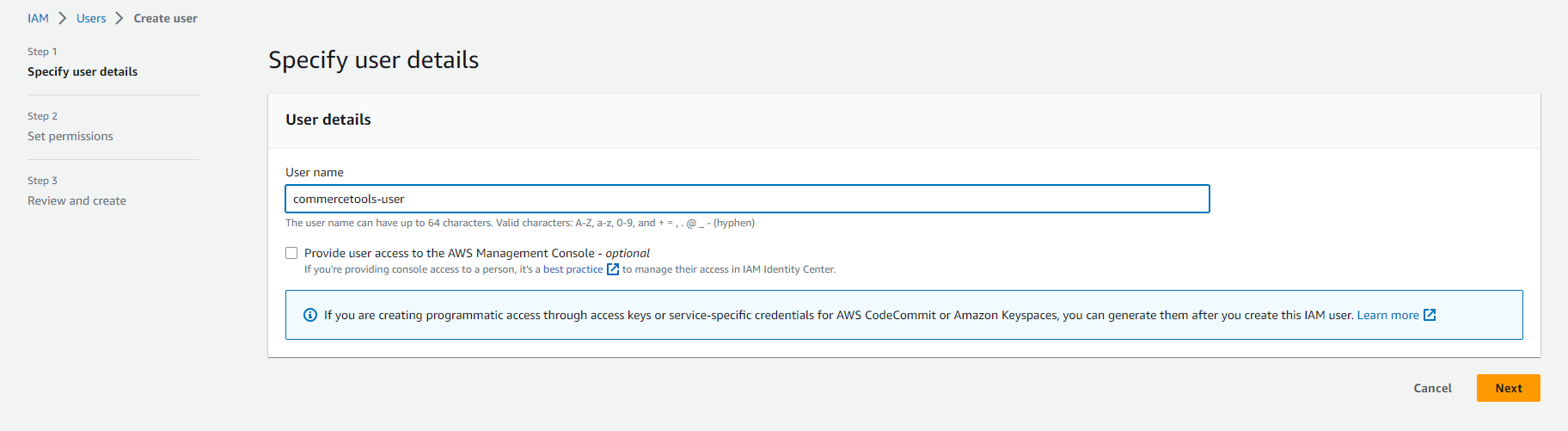
- Specify name of user and click ‘Next’
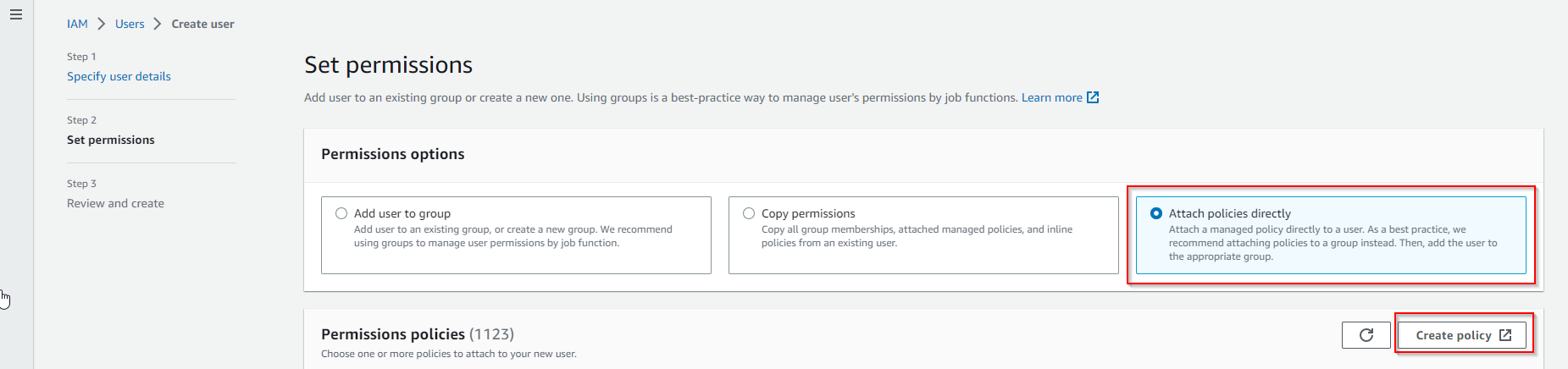
- Choose ‘Attach policies directly’ -> ‘Create policy’
- Choose ‘Visual’ option
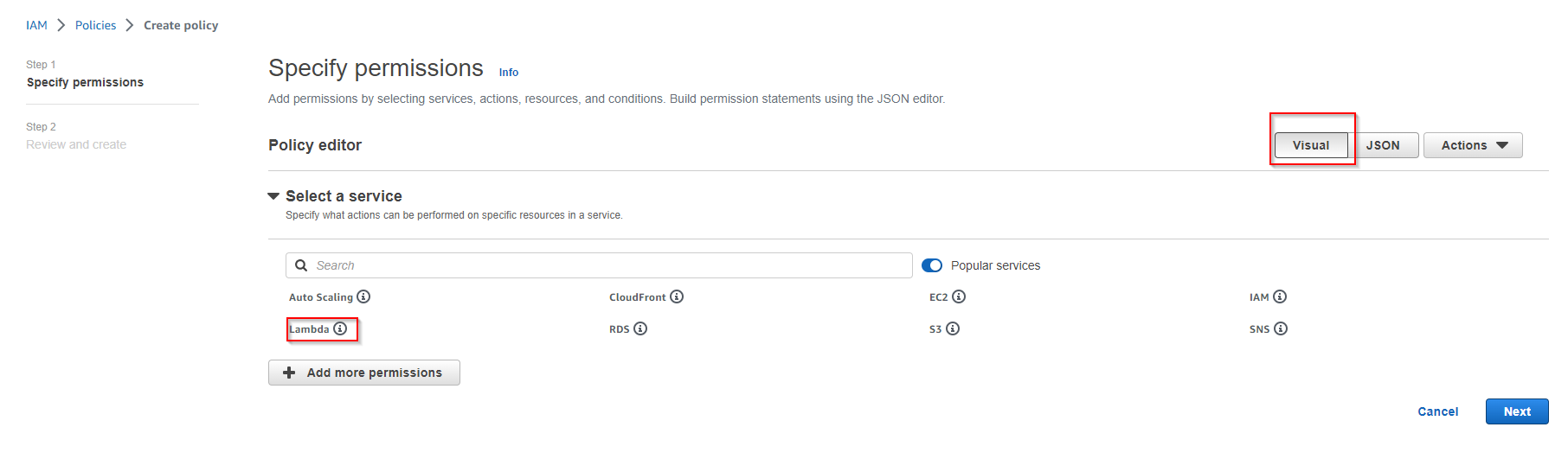
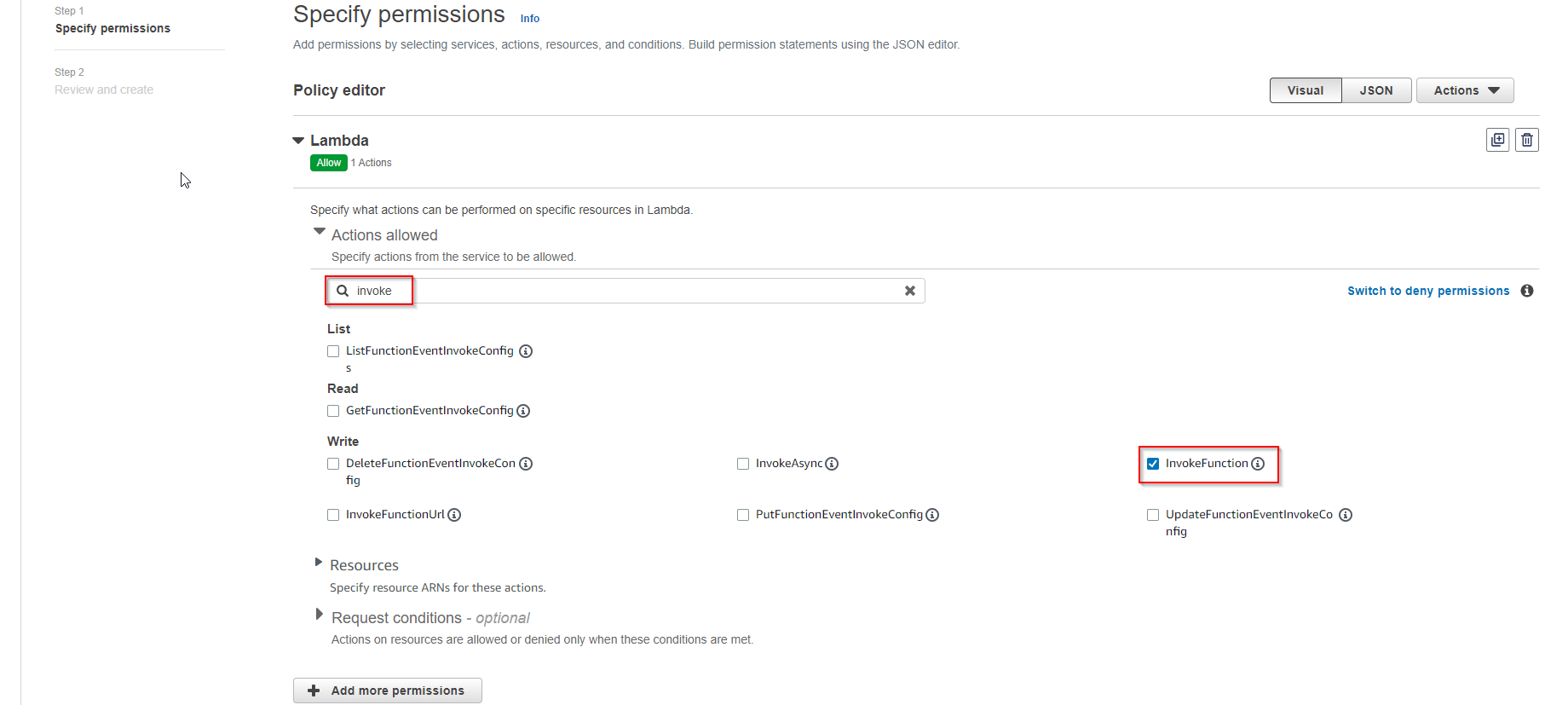
- Provide service, Actions Allowed and resource arn as showed below
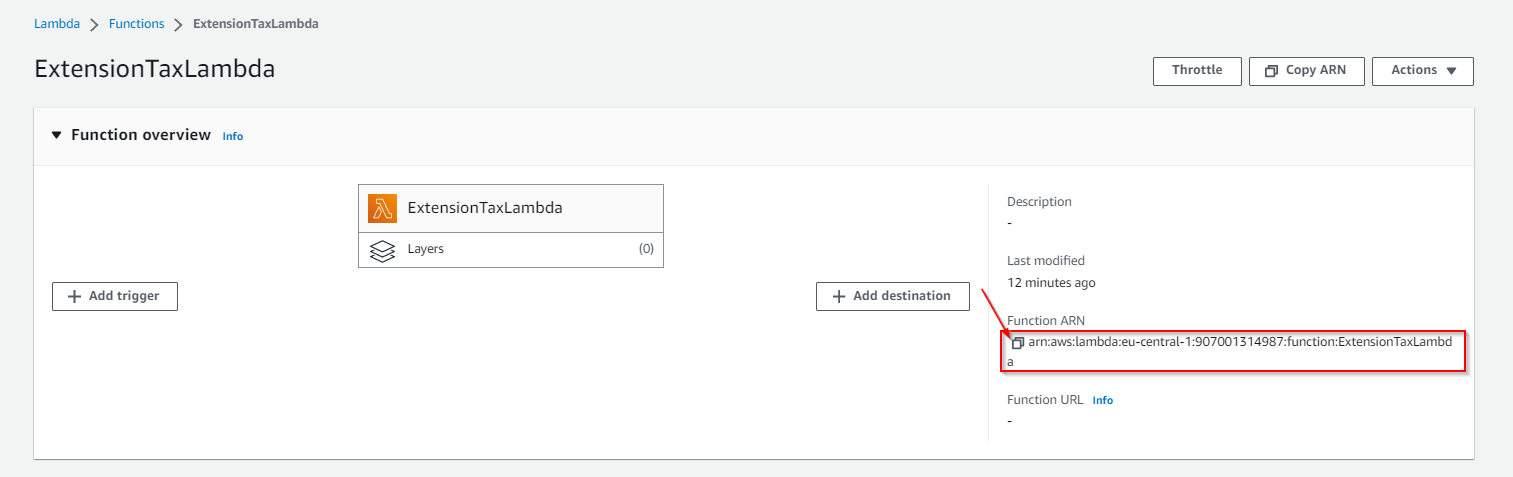
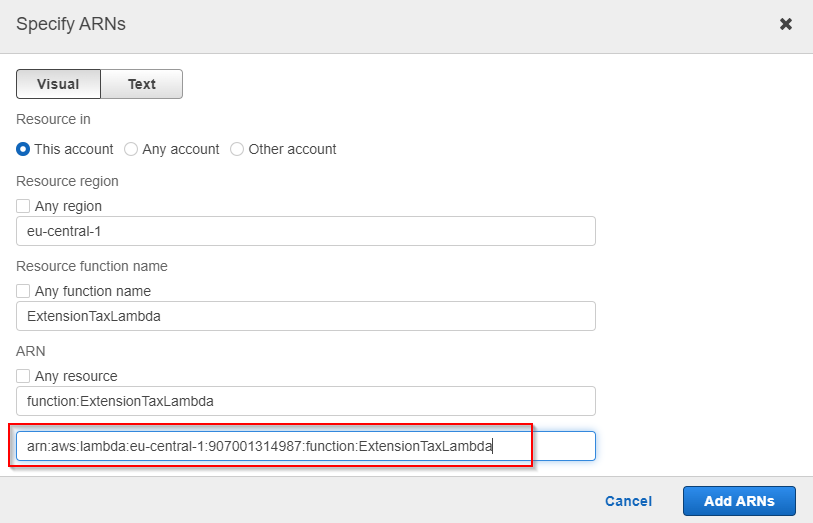
Provide name of policy and finish policy creation
Refresh policies list on page of user creation and find your policy.
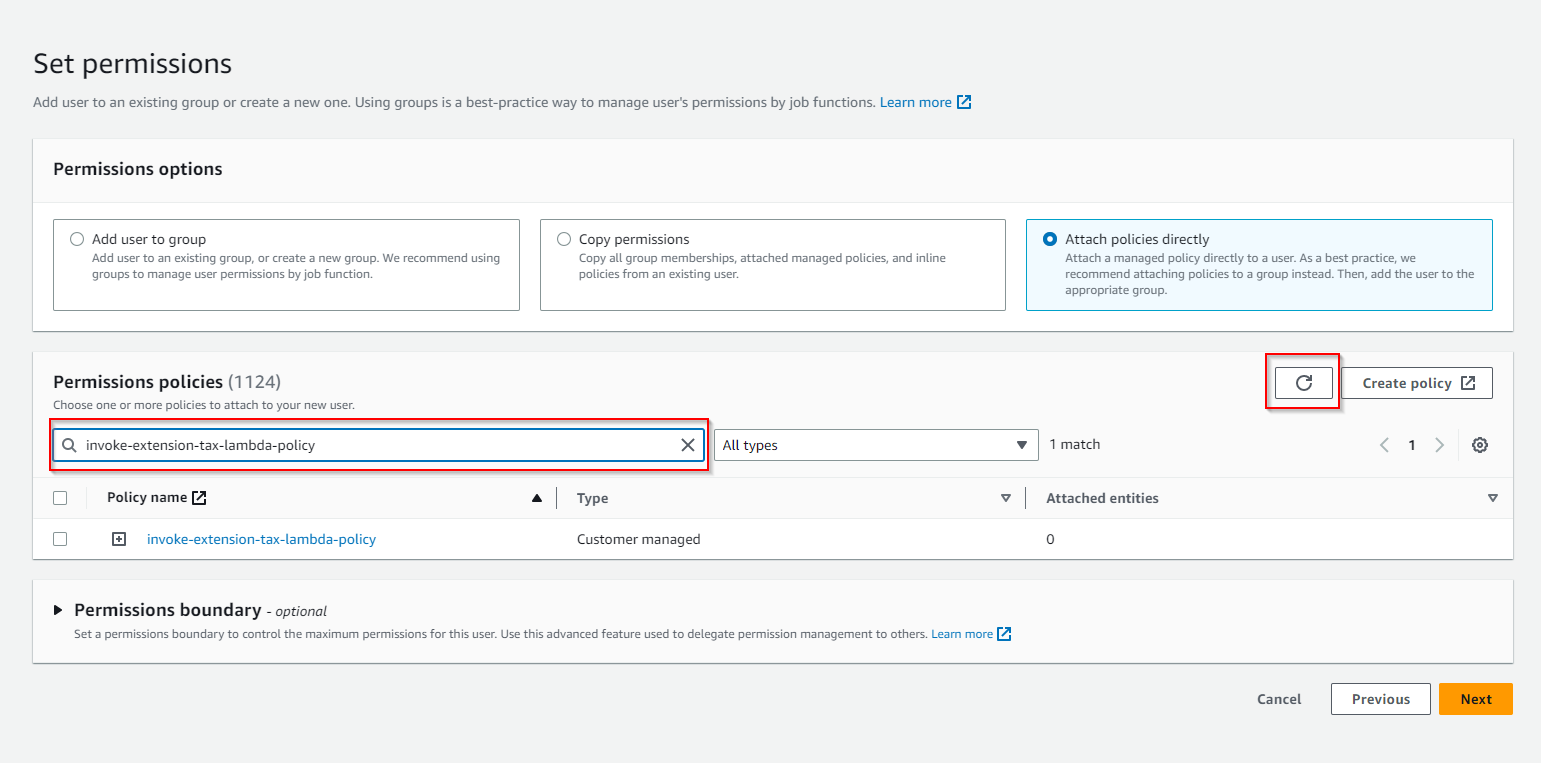
- Enable checkbox on new policy -> Click ‘Next’ -> ‘Create user’
Create credentials to execute lambda:
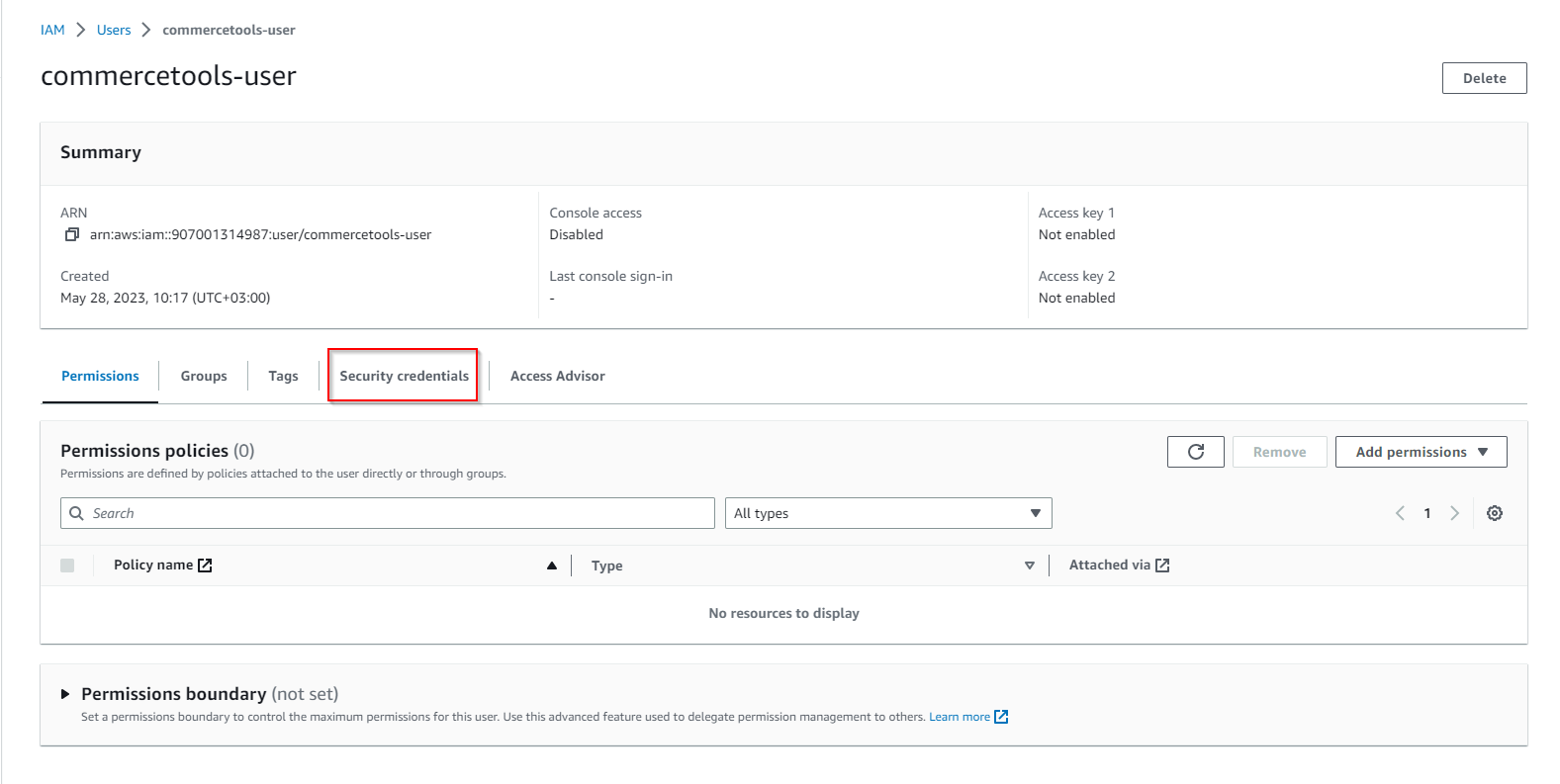
Find the user in IAM and click to it
Choose ‘Security credentials’
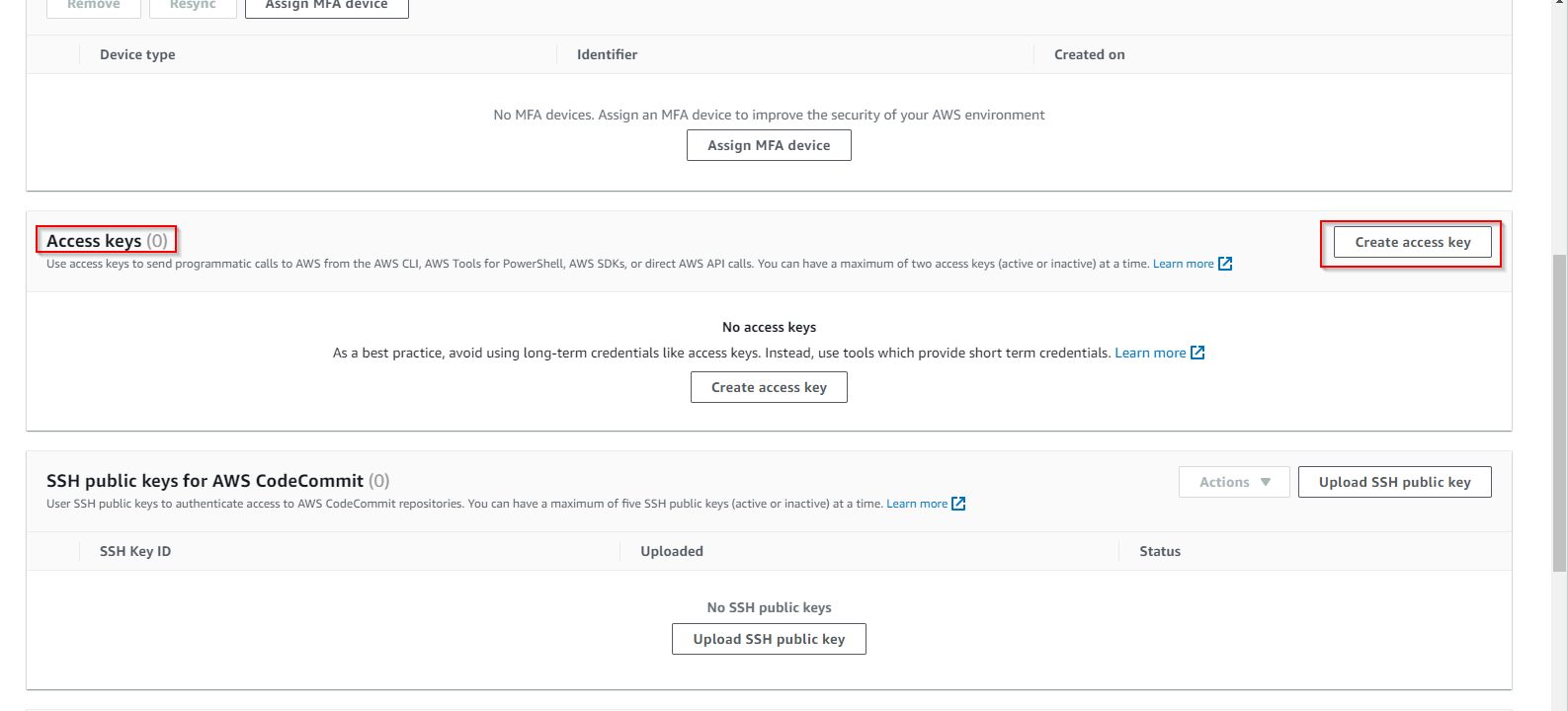
- Scroll down till ‘Access keys’ and click ‘Create access key’
- Choose ‘Third-party service’ option
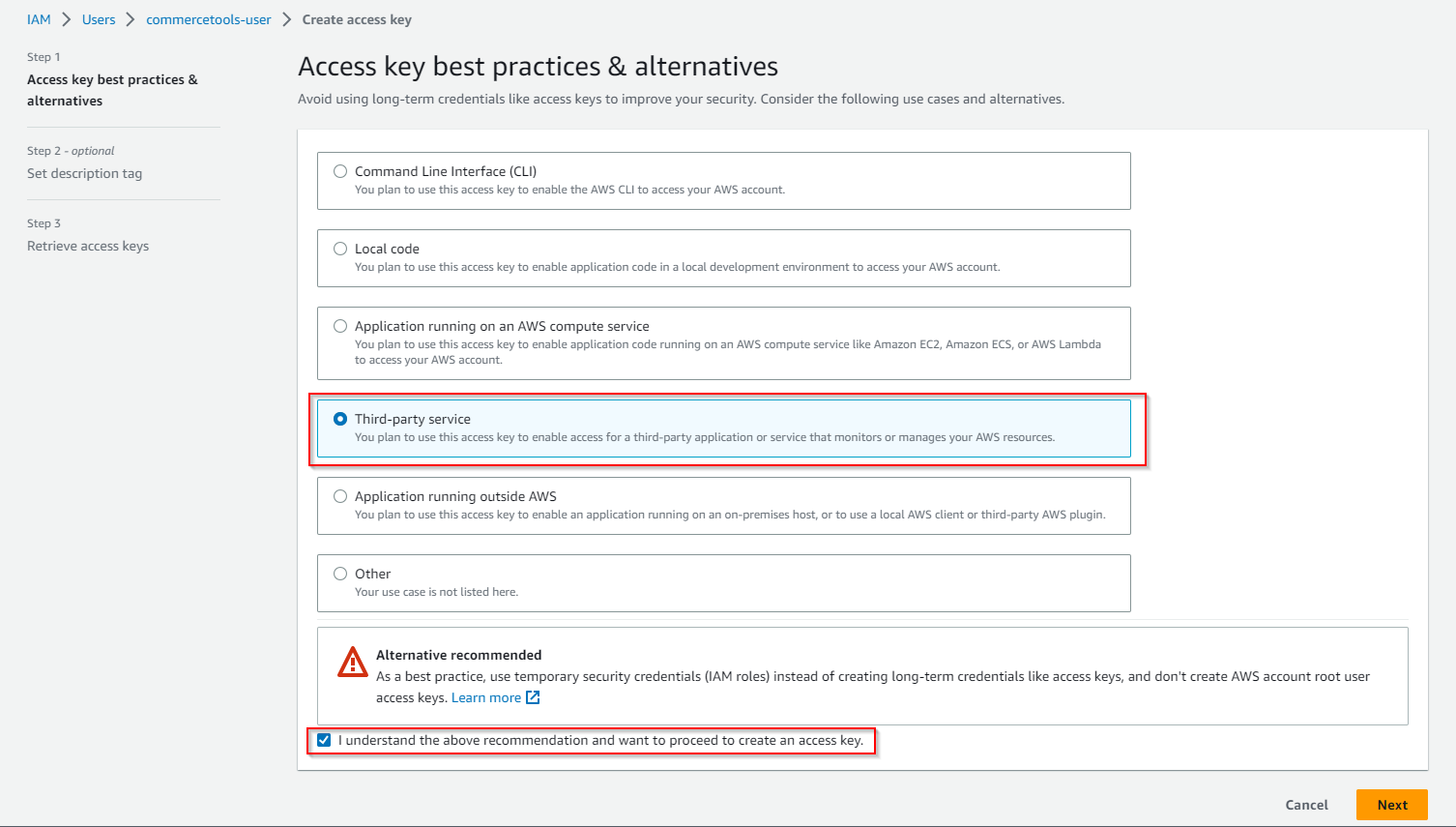
Click ‘Next’ -> ‘Create access key’
Save your ‘Access key’ and ‘Secret access key’
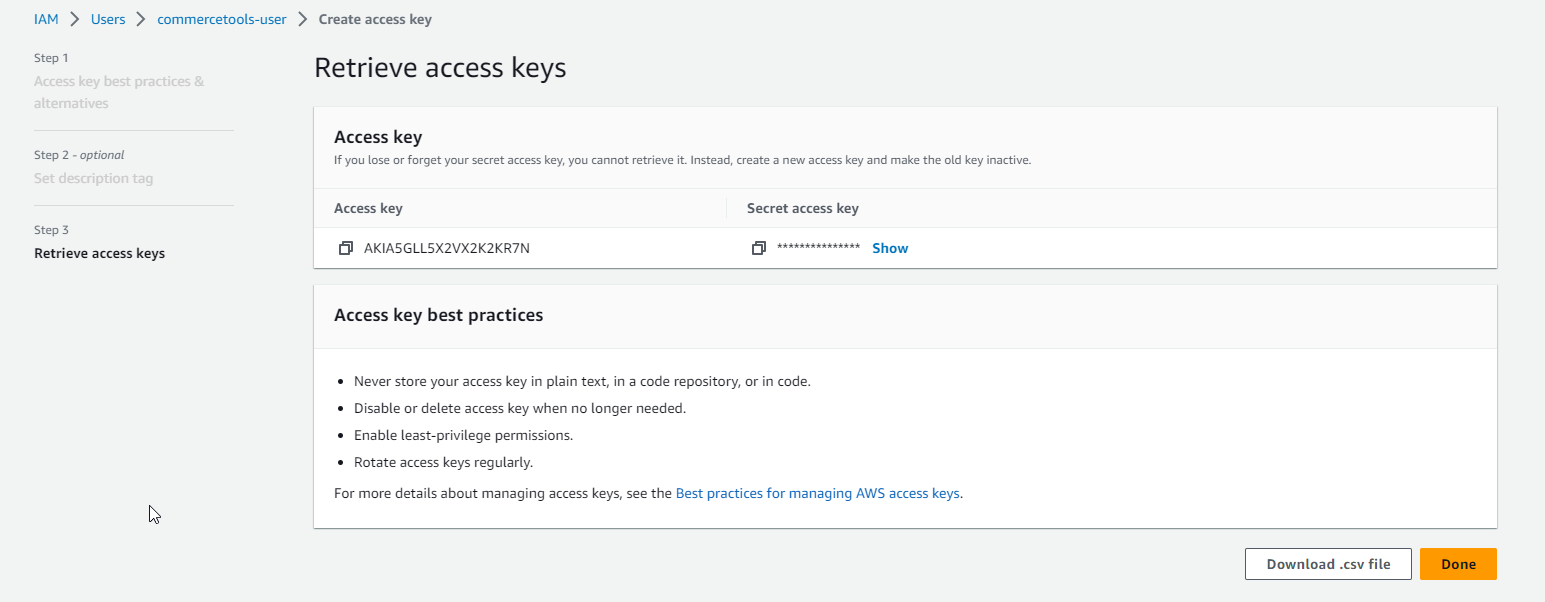
- Click ‘Done’
Useful links: