Verification tax extension
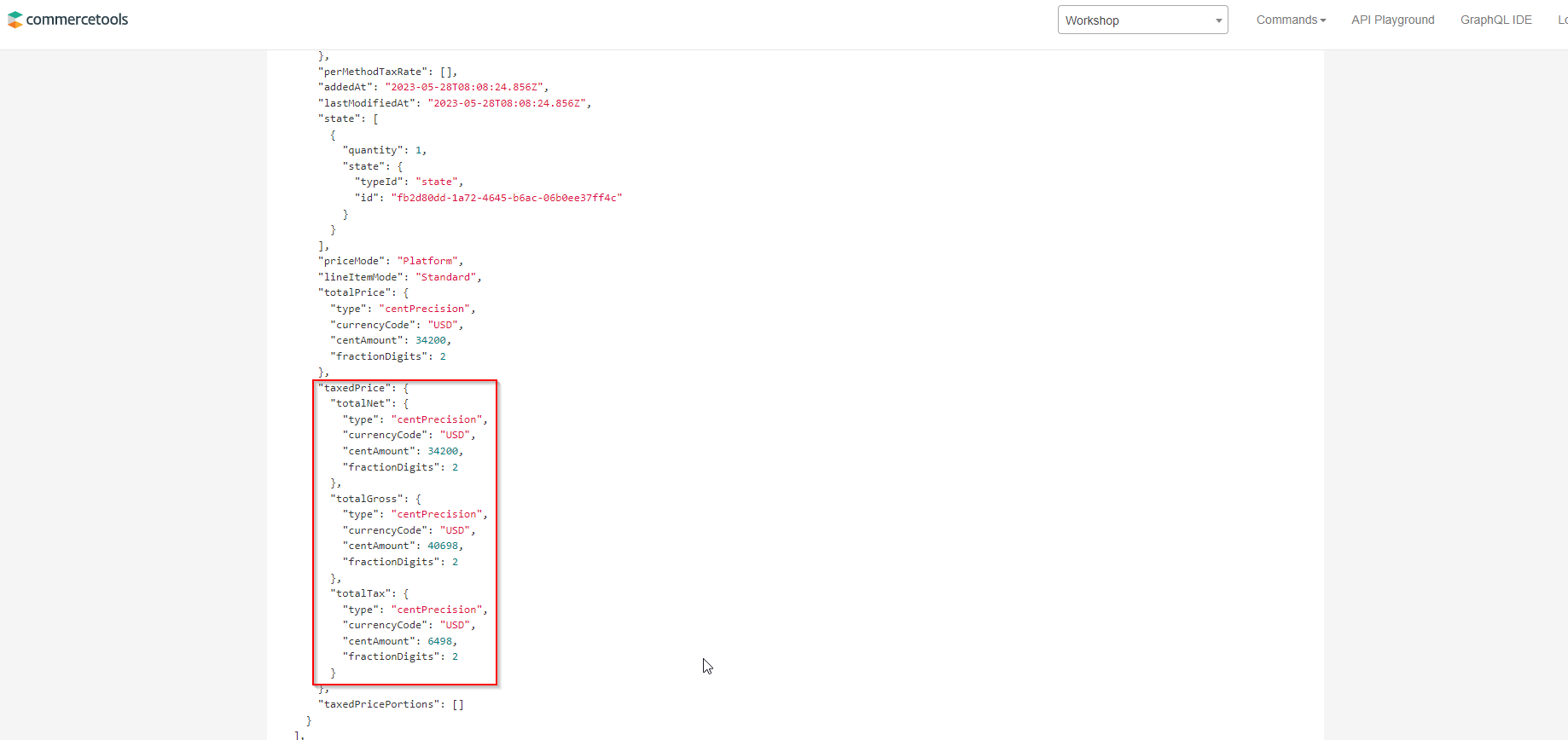
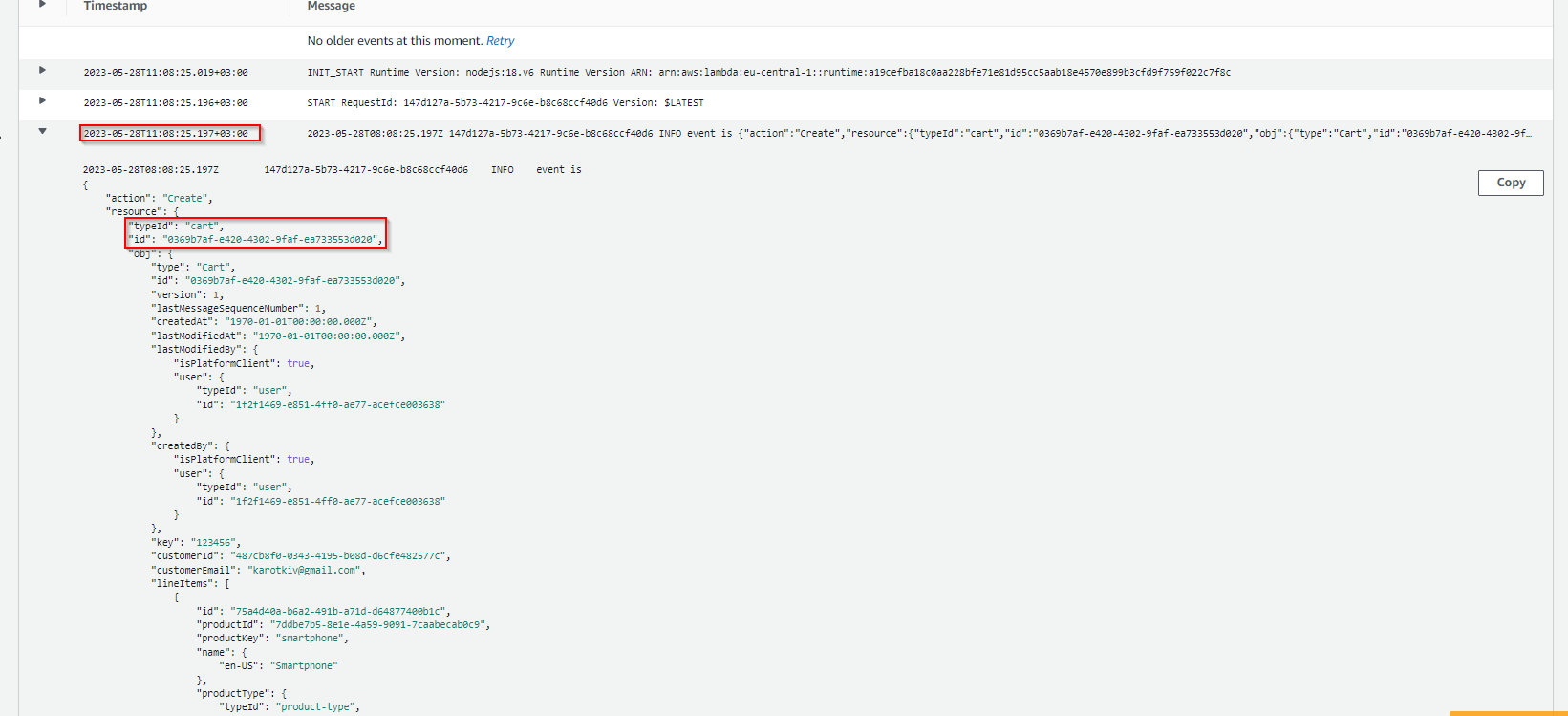
To verify we should create cart and check if tax value is present in cart. Additionally, we should check lambda logs via CloudWatch service to be sure that it’s the lambda was invoked and set taxRate
Choose Carts in Endpoint field, Create in Command field and put provided payload to Payload multiline field and click “GO!!!”
Key - unique value CustomerId - id of your user in commercetools
	{
	    "key": "123",
	    "currency": "USD",
	    "customerId": "487cb8f0-0343-4195-b08d-d6cfe482577c",
	    "customerEmail": "karotkiv@gmail.com",
	    "lineItems": [
	        {
	            "sku": "Smartphone-1"
	        }
	    ],
	"taxMode":"External"
}
- Verify that response contains tax specific objects
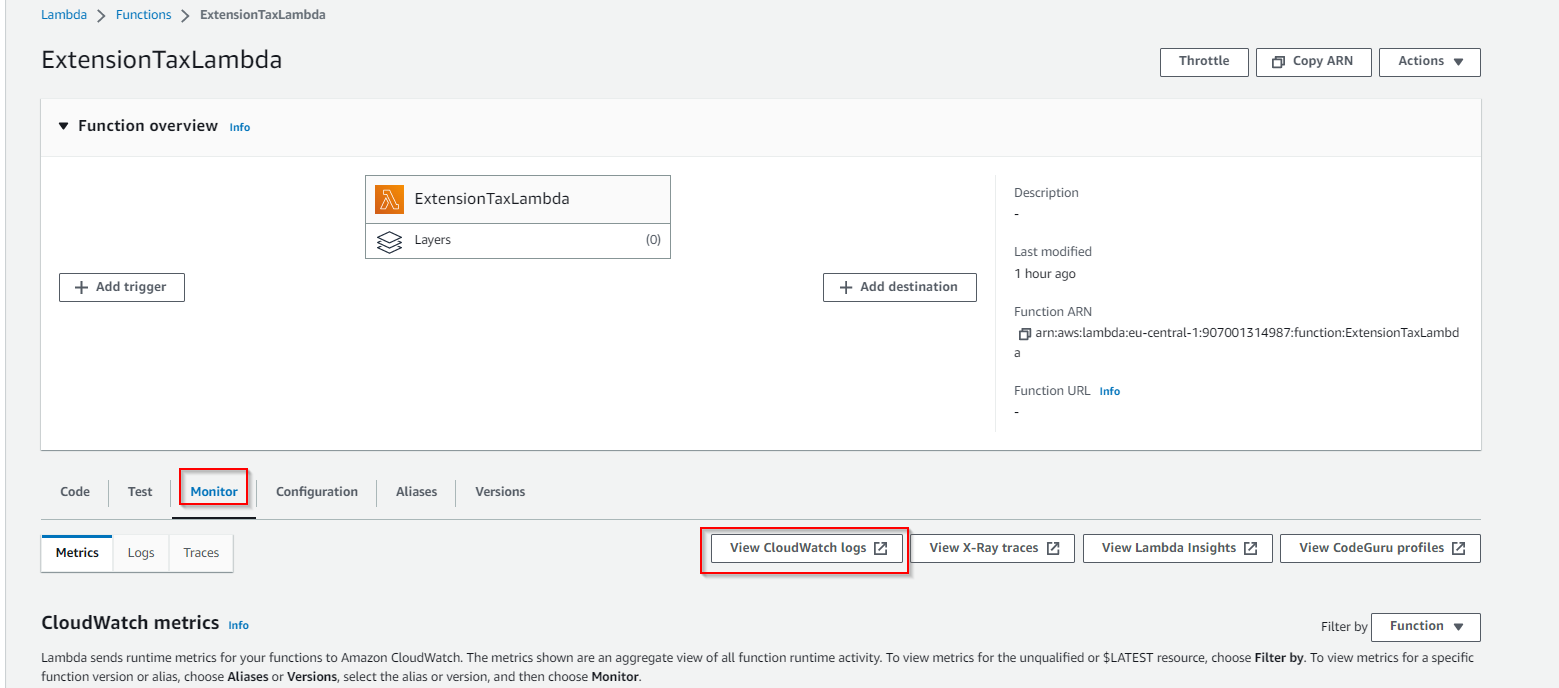
- Open ExtensionTaxLambda -> Monitor -> View CloudWatch logs
- Choose the last record in Log streams -> verify date and time -> review log records and be sure that cartId and other fields are the same like at impex portal
- After verifications it’s required to remove extension
If you don’t remove extension at this step it will lead to wrong behavior during next steps