Create commercetools API client
Steps:
- Open Merchant center portal. Find Settings -> Developer settings -> API clients
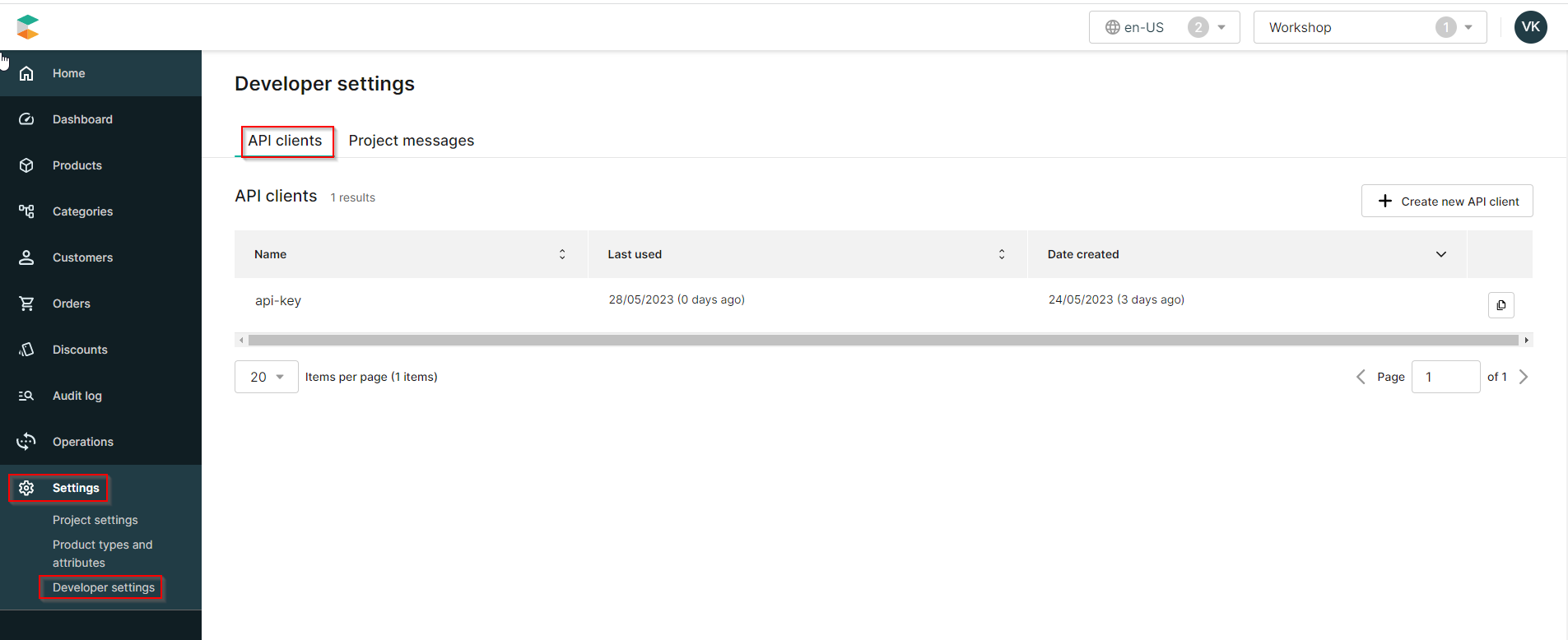
Click to ‘Create new API client’
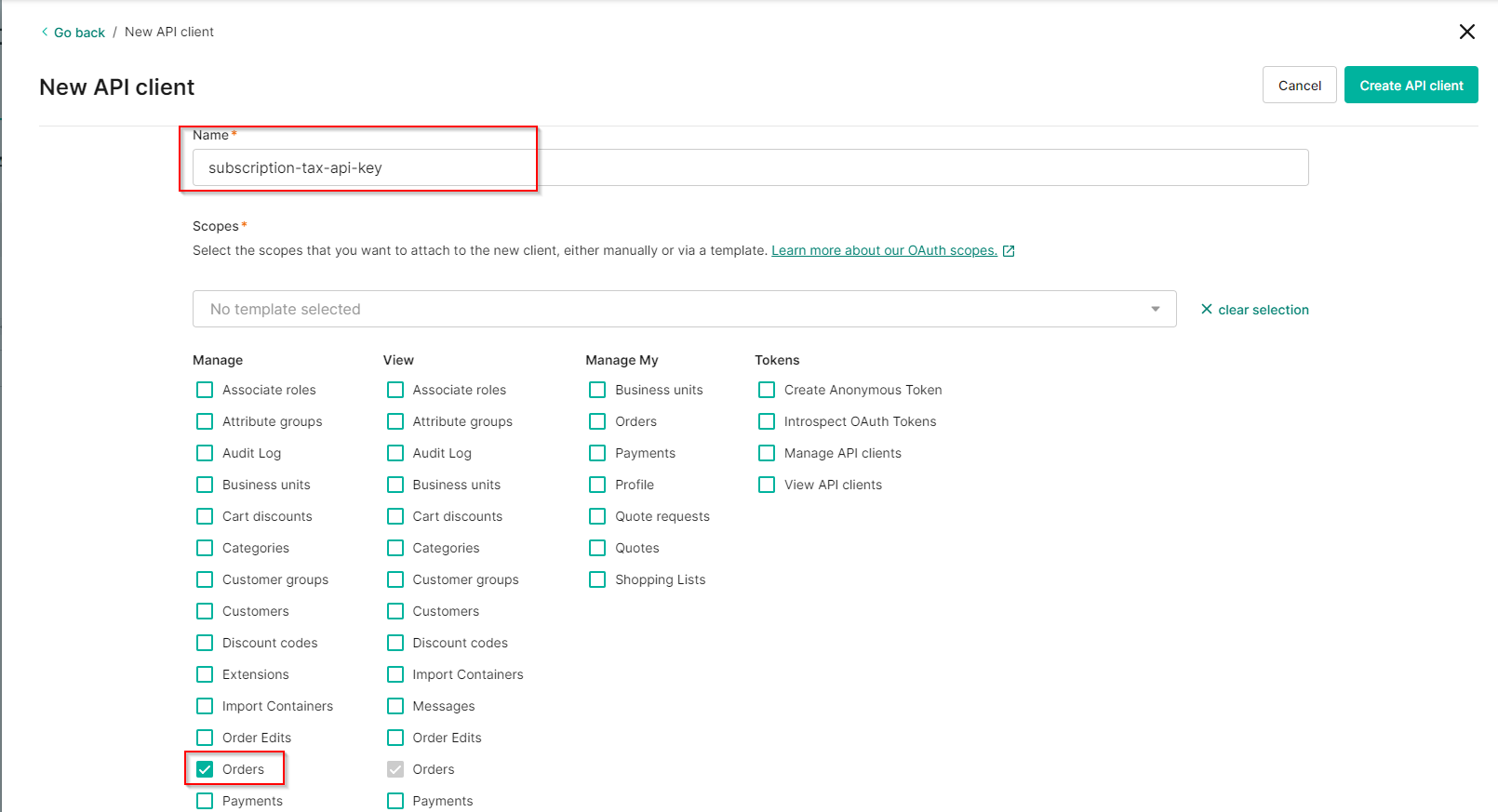
Insert any name of your api key in Name field and enable Manage -> Orders checkbox and then click ‘Create API client’
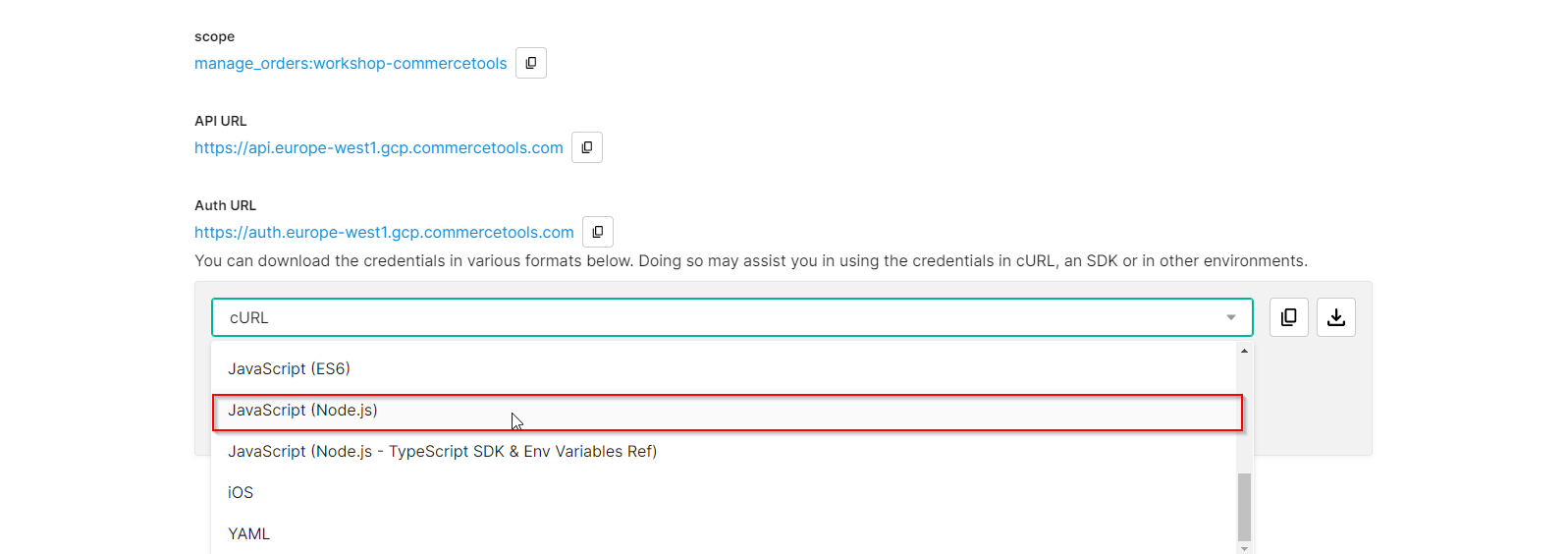
- After that you will see page with credentials. Scroll a bit down and choose option for downloading credentials with a value ‘JavaScript (Node.js)’
- Take into account next disclaimer

- Copy or download generated code snippet and close the window