Create SQS and Lambda
Initially we need to create SQS and after that lambda function
SQS creation steps:
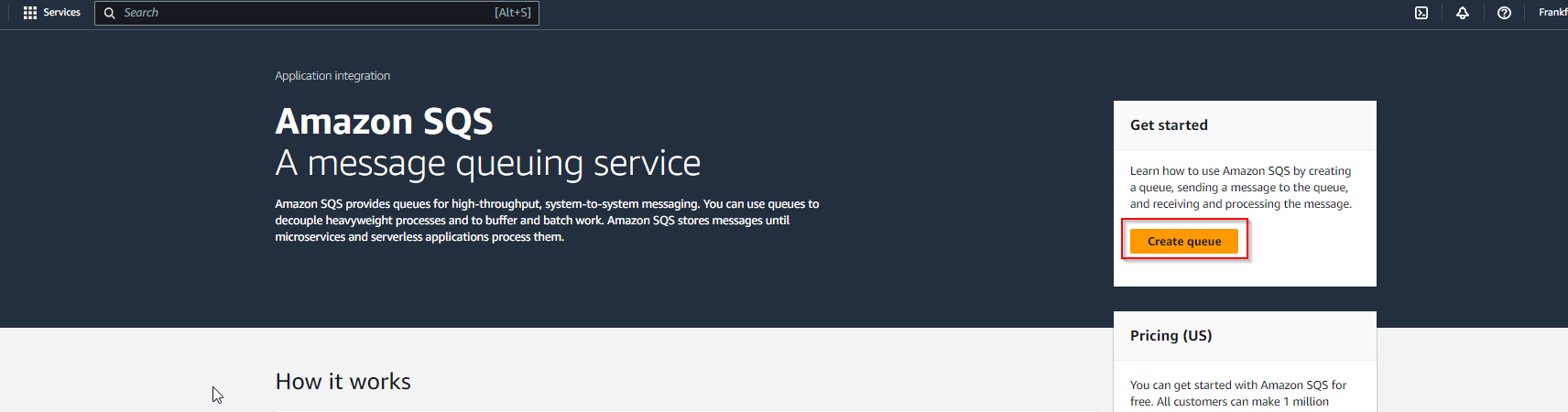
- Open SQS page and click ‘Create queue’
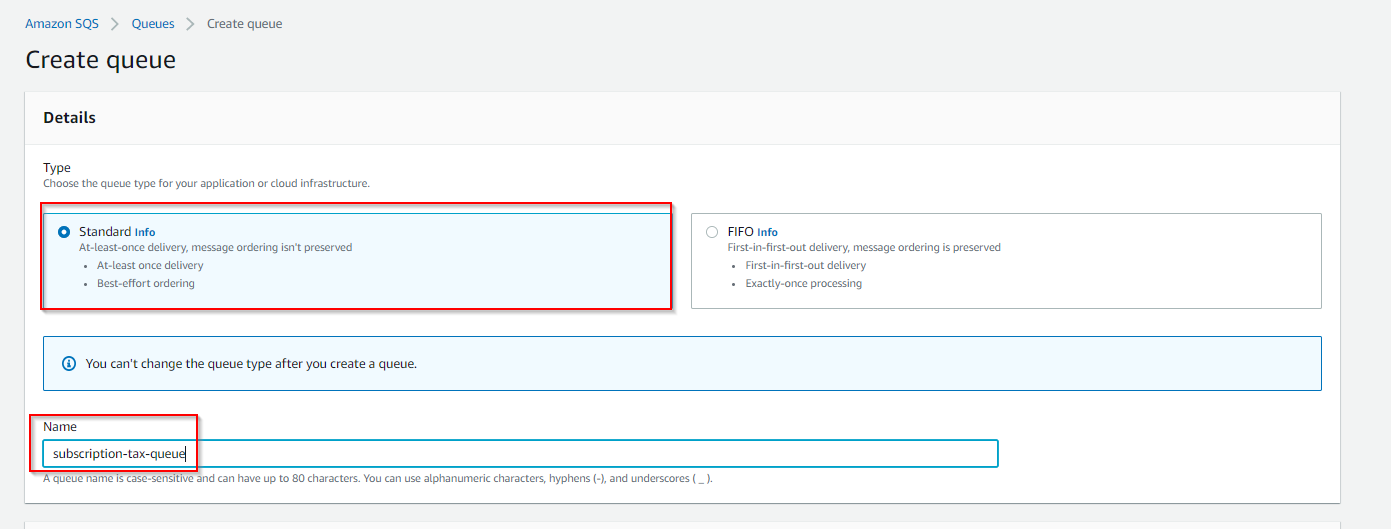
- Choose ‘Standard’ type, fill ‘Name’ field and click ‘Create queue’ in the bottom of the page
Create lambda with template:
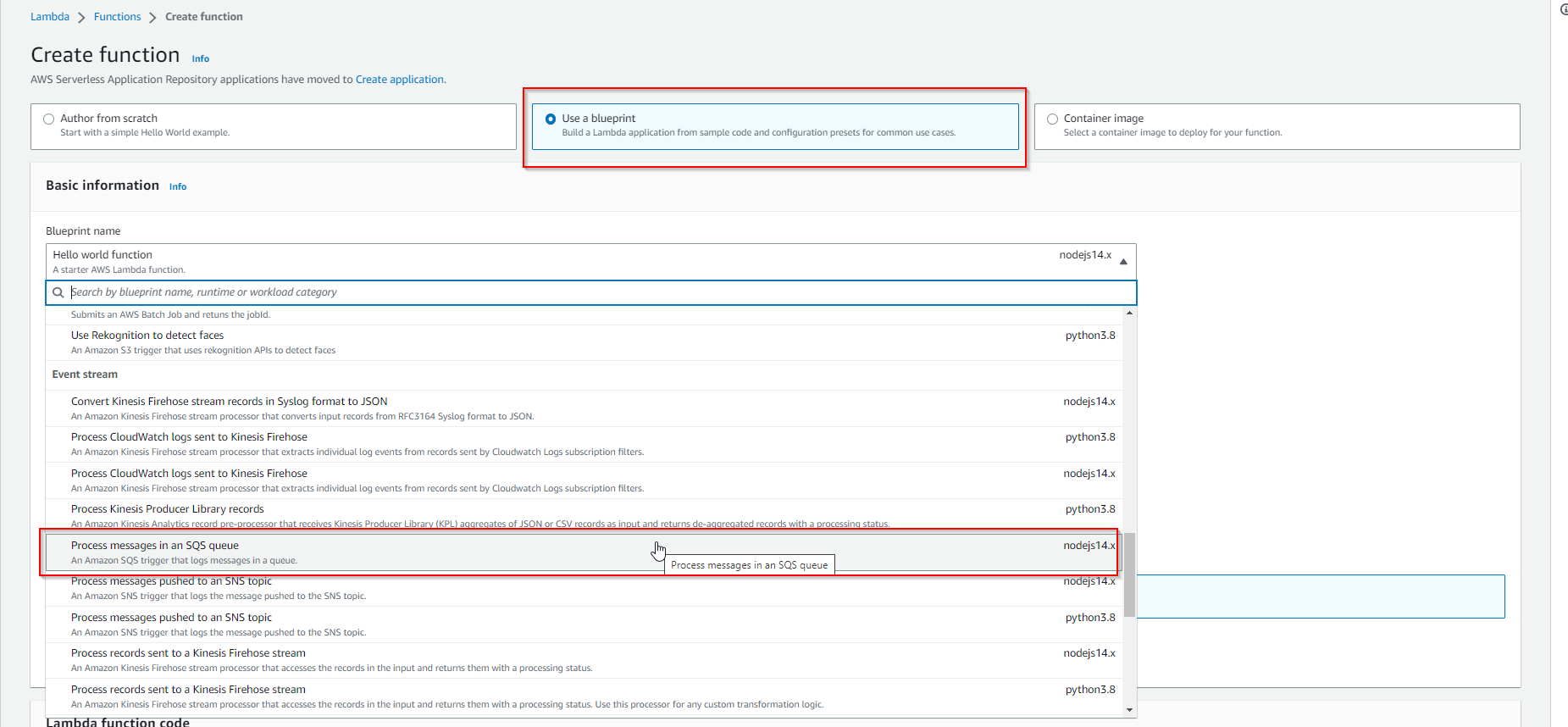
- Similarly like in extension branch we should click ‘Create function’ -> choose ‘Use a blueprint’ -> ‘Process messages in an SQS queue’
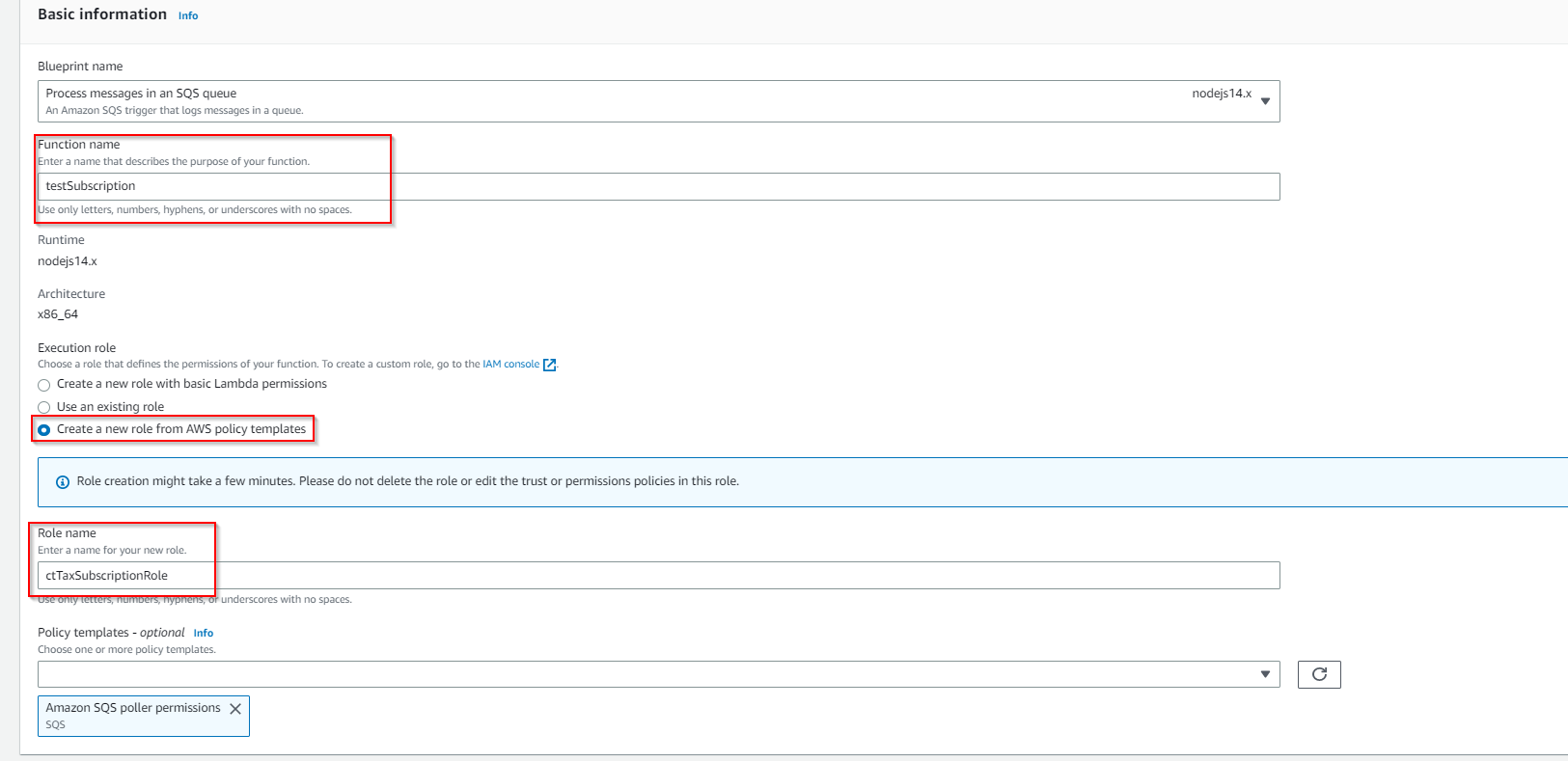
- After that provide name for lambda, choose Create a new role and provide name
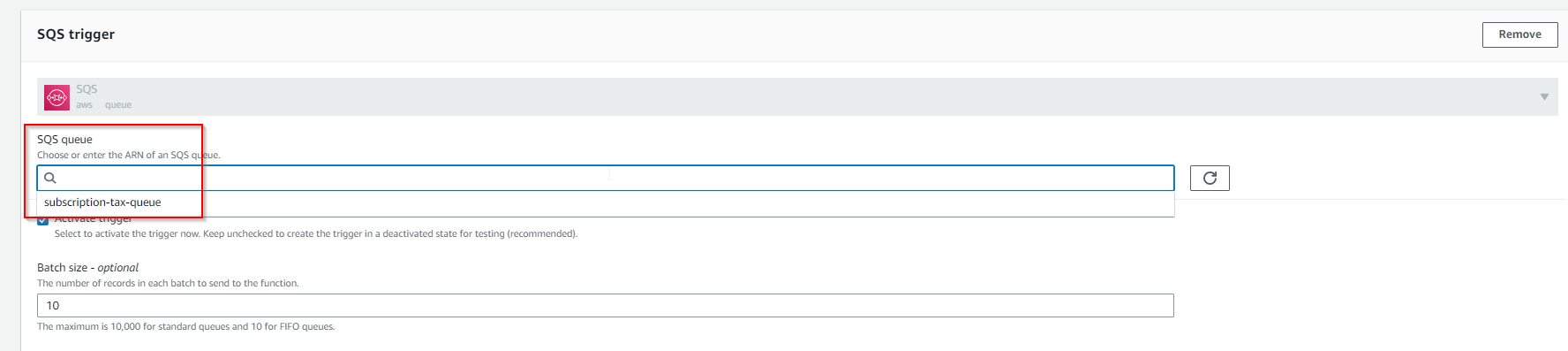
- Scroll down and choose the queue created earlier as a SQS trigger
Click ‘Create function’
On Lambda function page click ‘Upload from’ -> ‘.zip file’ and upload a file prepared in previous section